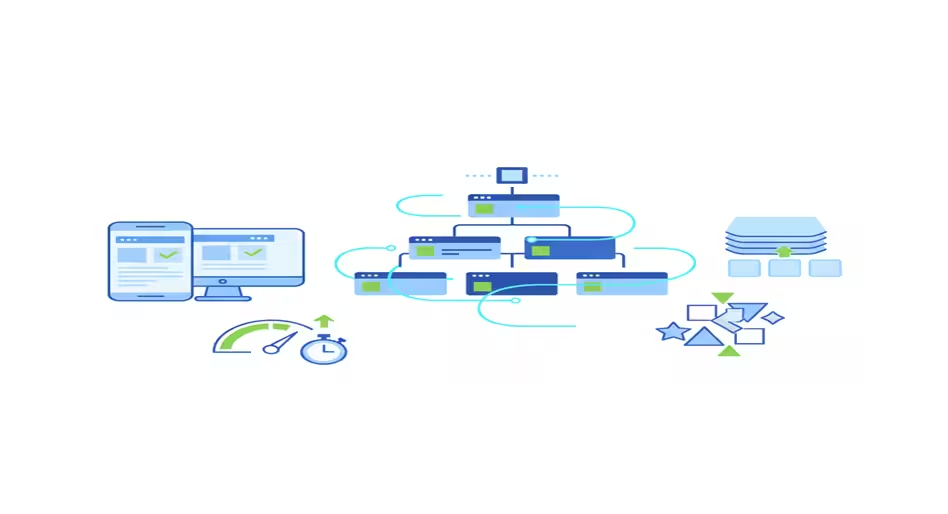
Technical SEO for Beginners: A Practical Guide
Technical SEO for beginners might sound intimidating—code, sitemaps, robots.txt, and mysterious Google rules. But here’s the truth: you don’t need to be a developer to get it right. In fact, even small, consistent steps can make a huge difference in how your website performs in search.
Take my own experience as an example. On my old site AllTechSub, I submitted a sitemap and robots.txt file and thought that was enough. But months later, I realized pages weren’t indexing properly. Mobile users were bouncing quickly. Core Web Vitals were a mess. That’s when I truly understood why technical SEO matters—it’s the foundation your content stands on. Without it, even your best blog posts or product pages may never be seen.
In this technical SEO guide for beginners, we’ll cover:
- What technical SEO is and why it’s crucial for your website
- How to make your site crawlable and indexable
- Tips for improving site structure and URL setup
- Mobile optimization and Core Web Vitals essentials
- Using structured data to speak Google’s language
- Free and easy tools to audit and maintain your technical SEO
Whether you’re a small business owner, blogger, or just curious about SEO, this guide will help you stop guessing. It will also help you in improving your site’s visibility. Think of it as a roadmap—a beginner-friendly approach to technical SEO that actually works.
This guide is part of our SEO for beginners series, where we break down SEO into simple, practical learning paths
- Technical SEO for Beginners: A Practical Guide
- What Is Technical SEO?
- How Search Engines Actually Work
- Crawlability – Can Google Access Your Website?
- Indexability – Are Your Pages Eligible to Rank?
- Site Structure and URL Logic for Beginners
- Mobile-Friendliness & Core Web Vitals
- Security & Accessibility – Trust Signals for SEO
- Structured Data & Schema Markup – Speaking Google’s Language
- Ongoing Monitoring & Maintenance – Keeping Technical SEO Healthy
- Free Tools for Technical SEO
- Final Thoughts – Technical SEO Isn’t Scary
- FAQs – Technical SEO for Beginners
What Is Technical SEO?
Technical SEO is the process that allows search engines to access, understand, and index your website efficiently. It’s not about writing content or building back-links. It’s about the site’s foundation.
When I was running AllTechSub, my early understanding of SEO was narrow. I saw SEO as keywords and content, and technical SEO as a checklist item I could “set and forget.” What I didn’t realize at the time was that technical SEO is not a single task—it’s a framework. Mobile performance, page speed, indexing rules, site structure, and schema all work together. Ignoring even one of them creates weak points across the entire site.
That’s the key thing beginners miss.
Technical SEO is not about doing one thing right. It’s about removing friction at every stage of how search engines process your site.
At a high level, technical SEO answers four critical questions:
- Can search engines access your pages?
- Can they understand what each page is about?
- Can they store and retrieve those pages correctly?
- Do users have a good experience once they land on them?
If the answer to any is “no,” rankings suffer. Beginners often publish content blindly, thinking Google will automatically find, index, and rank it. My experience showed otherwise.
Key takeaway:
Technical SEO is about removing obstacles so Google can do its job; content matters only after the foundation is solid.
When you treat technical SEO as a foundation rather than an afterthought, every other SEO effort becomes more effective. That’s the mindset beginners need before moving into audits and fixes.
How Search Engines Actually Work
Before you touch any technical SEO setting, you need to understand how search engines see your website. Most beginners skip this part, and that’s where confusion starts.
Search engines do not read a website the way humans do. They don’t feel design, branding, or emotions. They follow a process. In technical SEO for beginners, everything you do later only makes sense if this process is clear in your head.
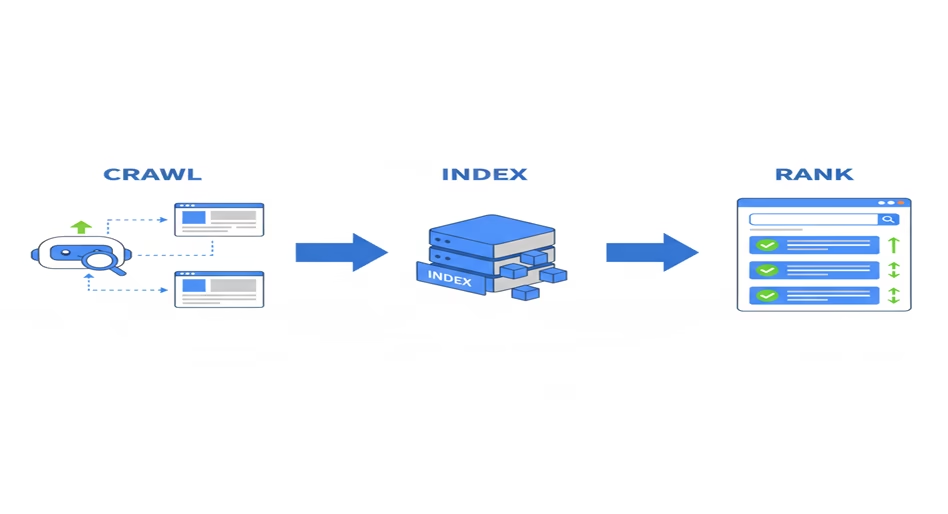
At a very basic level, search engines work in three steps:
Crawling – How Search Engines Discover Pages
Google uses automated programs called crawlers or bots. These bots move from one page to another by following links. If a page is not linked properly, or is blocked by technical settings, the crawler may never reach it. From a technical SEO point of view, a page that can not be crawled might as well not exist.
Indexing – How Pages Get Stored in Google
After a page is crawled, Google decides whether it should be stored in its database. This step is called indexing. During indexing, Google tries to understand what the page is about, how unique it is, and whether it’s worth keeping. Technical signals like meta tags, canonical, page structure, and content quality all influence this decision.
Ranking – Why Only Indexed Pages Can Rank
Only indexed pages can rank. Ranking is where Google decides which indexed page should appear first for a search query. Many beginners jump straight to ranking factors, but technical SEO for beginners starts much earlier. If crawling or indexing fails, ranking never even happens.
Here’s where most beginners go wrong.
They assume publishing a page means Google will automatically find it, understand it, and rank it. That assumption breaks as soon as the site grows. On my old site, AllTechSub, I published content regularly but never questioned whether Google was actually indexing everything correctly. Some pages were crawled, some were ignored, and I didn’t even realize it at the time.
This is why technical SEO is about eligibility, not popularity. Technical SEO for beginners is not about making Google love your content. It’s about removing obstacles so Google can access, understand, and store your pages correctly.
Once you understand this crawl–index–rank flow, the next sections become logical. You stop guessing. You stop blindly installing plugins. You start fixing problems in the right order.
Crawlability – Can Google Access Your Website?
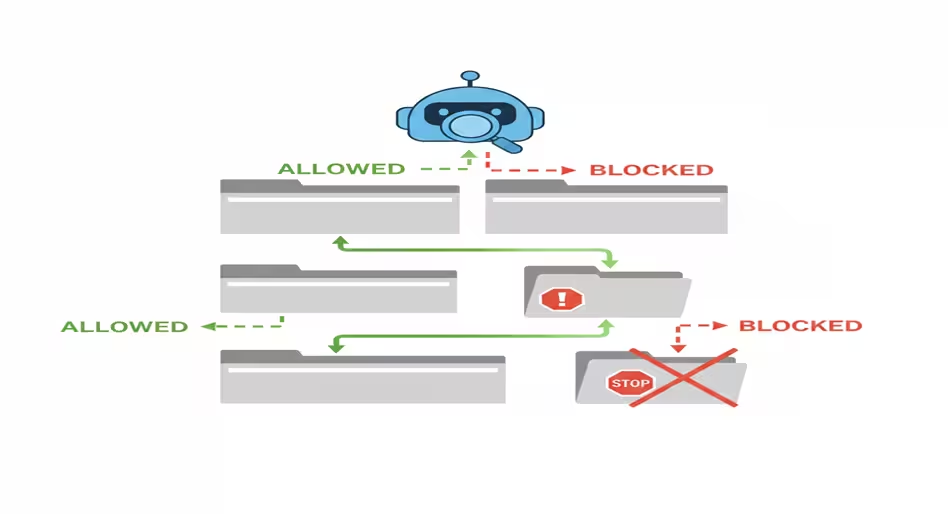
Crawlability is the first real checkpoint in technical SEO for beginners. If Google can not access your pages, nothing else you do matters. Not content. Not keywords. Not backlinks.
Crawlability simply means this: can search engine bots reach your pages without resistance?
Beginners often think that once a site is live, Google will automatically crawl everything. That’s not how it works. Google crawls based on signals, permissions, and pathways. If those are broken or unclear, pages get skipped.
On alltechsub, I made a classic beginner move. I submitted a sitemap and added a robots.txt file, then assumed my job was done. I never checked whether important pages were actually being crawled. Some URLs were buried deep. Some had no internal links pointing to them. Google didn’t “fail” me. I failed to guide it.
Here are the core Crawlability elements beginners must understand.
robots.txt: permission, not power
The robots.txt file tells search engines where they are allowed or not allowed to go. Beginners either ignore it or misuse it. Blocking folders without realizing the impact is common. A single wrong rule can silently block your entire site. Technical SEO for beginners means using robots.txt carefully, not aggressively.
Internal linking: how bots move
Search engine bots discover pages by following links. If a page has no internal links, it becomes an orphan. Orphan pages are hard to crawl consistently. Good internal linking is not just for users. It’s how you build crawl paths for search engines.
URL consistency and duplicates
Multiple URLs pointing to the same content confuse crawlers and waste crawl budget. While beginners don’t need to obsess over crawl budget, unnecessary duplication slows down discovery and weakens signals.
Server response and errors
If your server is slow, unstable, or returning errors, crawlers back off. Frequent 4xx or 5xx errors tell Google your site is unreliable. This is a technical SEO issue, not a content problem.
Crawlability teaches one important lesson early on:
Google does not explore your site randomly. It follows rules and paths you create.
Key takeaways:
For technical SEO beginners, crawlability is about access. Robots.txt controls permission, internal links create pathways, and clean URLs reduce confusion. Before worrying about rankings, make sure Google can actually reach every page that matters.
Indexability – Are Your Pages Eligible to Rank?
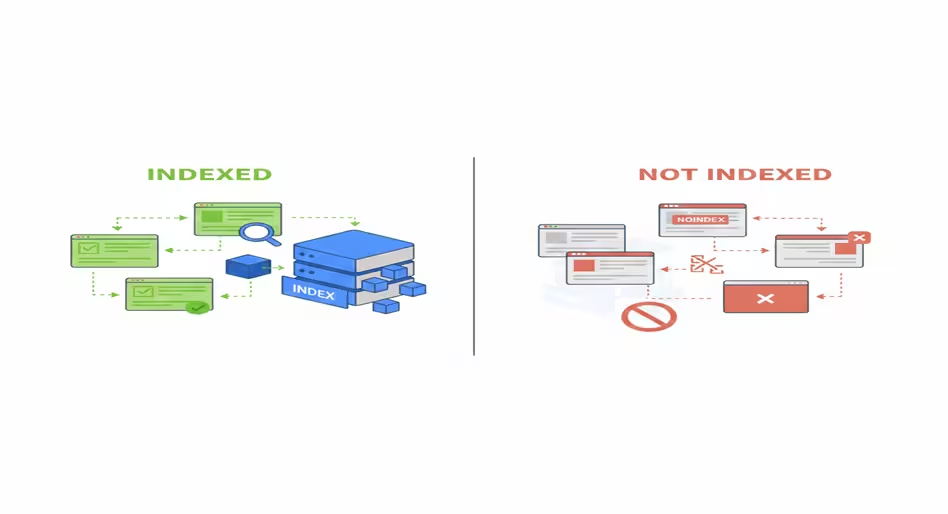
Once Google can crawl your site, the next question is simple but brutal: Does Google want to index your pages? That’s the real concern.
This is where many beginners get confused. Crawling does not mean indexing. A page can be crawled many times and still never appear in search results. Technical SEO for beginners becomes serious at this stage because indexing is about qualification.
Indexability means giving Google clear signals that a page should be stored, understood, and considered for ranking.
On AllTechSub, this was one of my blind spots. I saw pages getting crawled in Search Console and assumed everything was fine. I never checked whether those pages were actually indexed. Later, I realized some URLs existed in a gray zone. Google knew about them but chose not to keep them.
Here are the key indexability factors beginners must understand.
Noindex Tags and Indexing Signals
The noindex tag explicitly tells search engines not to index a page. Beginners often inherit this problem from themes, plugins, or staging setups. A single forgotten setting can quietly remove important pages from the index.
Canonical tags: choosing the main version
Canonical tags tell Google which version of a page is the preferred one. When used correctly, they prevent duplication. When misused, they can push the wrong page out of the index entirely. Technical SEO for beginners means understanding canonical before blindly applying them.
Thin and low-value pages
Google does not index everything it crawls. Pages with very little content, duplicated text, or unclear purpose are often excluded. This is not a penalty. It’s a quality filter. Beginners usually discover this too late, after publishing dozens of weak pages.
Search Console indexing reports
Google Search Console is the first place beginners should look. It shows which pages are indexed, excluded, or discovered but not indexed. Ignoring this report is one of the fastest ways to lose control over technical SEO.
Technical SEO for beginners is about reducing ambiguity. Clear signals, clean structure, and purposeful pages help Google make faster and more confident indexing decisions.
Key takeaway:
Indexability decides whether your pages are eligible to rank. Noindex tags, canonicals, page quality, and Search Console data all influence this stage. For beginners, mastering indexability means moving from blind publishing to controlled visibility.
Site Structure and URL Logic for Beginners
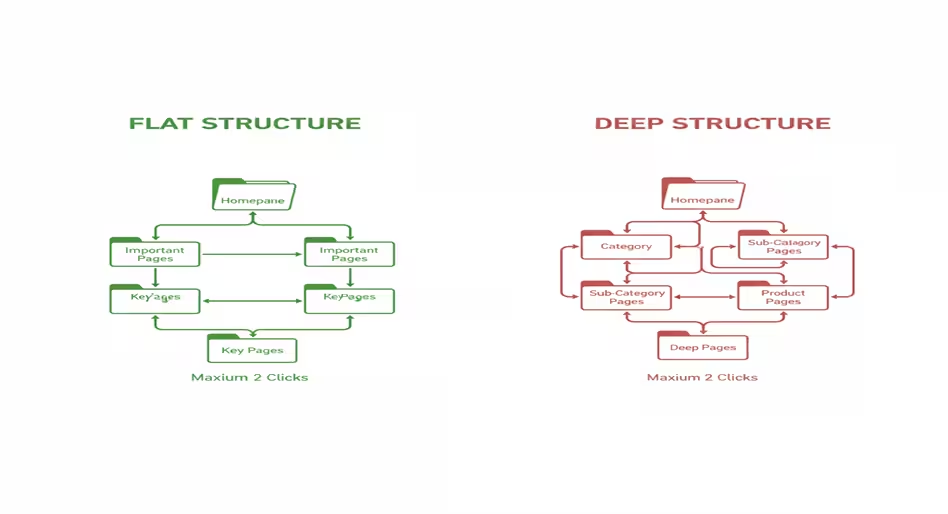
Once your pages are crawlable and indexable, the next technical SEO layer is site structure. Site structure is not about design colors or fancy menus. It’s about logical organization: how pages are grouped, how links connect them, and how URLs reflect hierarchy. Done right, it makes crawling easier, helps indexing, and boosts topical authority—especially important for beginners building their first site.
Flat vs deep structures
A flat structure keeps pages close to the homepage. Important content should be reachable within 2–3 clicks. Beginners often bury valuable posts under multiple sub-folders or categories.
Categories, tags, and silos
Grouping related content into categories or silos signals relevance. Each category should have a clear topic, and individual pages should link back to it. Tags can help with micro-topic grouping, but beginners must avoid over-tagging, which creates duplicate paths and indexing confusion.
SEO-friendly URLs
URLs should be readable, descriptive, and consistent. A good URL tells both users and search engines what the page is about.
example: /technical-seo-guide
Simple, clean URLs also make linking easier and reduce canonical issues.
Internal linking for structure
Internal links reinforce hierarchy. Link new pages to relevant categories or cornerstone content. Avoid orphan pages—pages with no incoming links—as they may never rank. Even a single missed internal link on alltechsub meant some guides stayed invisible for months.
Navigation menus and footers
Menus and footers are more than design—they are technical SEO tools. Linking key content in these areas ensures crawlers find your most important pages quickly. Beginners often ignore footer links, which could pass authority and improve crawl efficiency.
Key takeaway:
Site structure is the skeleton of technical SEO. Flat hierarchy, clear categories, readable URLs, and thoughtful internal linking make crawling and indexing efficient. Beginners who organize their site early save months of troubleshooting later. On AlltechSub, fixing deep URLs and orphan pages was the first real win that improved visibility and ranking.
Mobile-Friendliness & Core Web Vitals
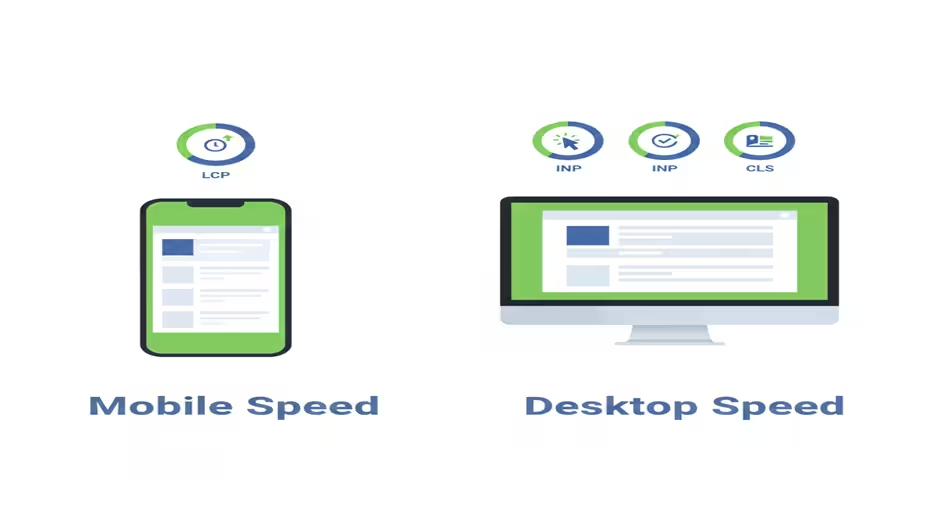
In today’s search landscape, technical SEO for beginners can not ignore mobile performance and Core Web Vitals. Google now uses mobile-first indexing, which means the mobile version of your site is what determines ranking. A desktop-friendly site alone is no longer enough.
Why mobile matters
Users expect fast, readable, and interactive pages on their phones. If your layout breaks, buttons are too small, or text requires zooming, visitors leave—and Google notices. On alltechsub, I never optimized for mobile early on. Pages loaded slowly, images were oversized, and Google Search Console flagged multiple usability issues. It wasn’t until I fixed these that some posts started gaining visibility.
Core Web Vitals simplified
These are three key metrics that measure real user experience:
- LCP (Largest Contentful Paint): How quickly the main content loads.
- FID (First Input Delay) / INP (Interaction to Next Paint): How fast users can interact with your site.
- CLS (Cumulative Layout Shift): How stable the page is while loading—no sudden jumps.
Beginners often underestimate these metrics, thinking SEO is only about keywords. In reality, slow loading or unstable layouts can silently block rankings.
Practical tips for beginners
- Use responsive design frameworks like Tailwind CSS or Bootstrap.
- Optimize images: compress and use modern formats (WebP).
- Minimize unused scripts and CSS to reduce load time.
- Test performance with Google PageSpeed Insights and follow prioritized recommendations.
- Regularly check mobile usability in Google Search Console.
Key takeaways:
Mobile-friendliness and Core Web Vitals are no longer optional. They affect rankings and user trust. Even small improvements—compressing images, fixing layout shifts, or enabling responsive design—create measurable gains. On AllTechSub, addressing mobile issues was the turning point for better indexing and engagement.
Security & Accessibility – Trust Signals for SEO
Security and accessibility form the backbone of technical SEO that beginners often overlook. Google values sites that are safe, reliable, and usable for everyone. Ignoring these factors can silently harm rankings, even if your content is excellent.
HTTPS: Your first trust signal
If your site still runs on HTTP, Google flags it as insecure. HTTPS encrypts the connection between your server and visitors’ browsers, protecting sensitive data. Beyond security, Google has confirmed that HTTPS is a ranking factor. On alltechsub, switching to HTTPS was a simple step that improved trust and visibility.
Robots.txt & sitemap accuracy
A clean and correct robots.txt file tells crawlers where they can go, while a proper XML sitemap guides them to your important pages. Beginners often misconfigure these, accidentally blocking content or including non-indexable pages. Keeping these files updated ensures smooth crawling and indexing.
Mixed content and page errors
Mixed content—like loading images or scripts over HTTP on an HTTPS site—can confuse search engines. It also reduces trust. Similarly, broken links, missing pages, or redirect chains degrade crawl efficiency. Routine checks prevent these silent issues.
Accessibility for all users
Accessibility isn’t just ethical—it’s technical SEO gold. Using semantic HTML, alt text for images, descriptive anchor texts, and readable fonts improves usability for screen readers and supports better crawl understanding. Google rewards websites that cater to all users.
Key takeaways:
Security and accessibility are cornerstones of technical SEO. HTTPS, precise robots.txt and sitemaps, fixing mixed content, and inclusive design build both user trust and search engine confidence. On alltechsub, addressing these issues made my site more reliable and indirectly improved rankings—proof that technical SEO isn’t only about speed and structure, but about trustworthiness too
Structured Data & Schema Markup – Speaking Google’s Language
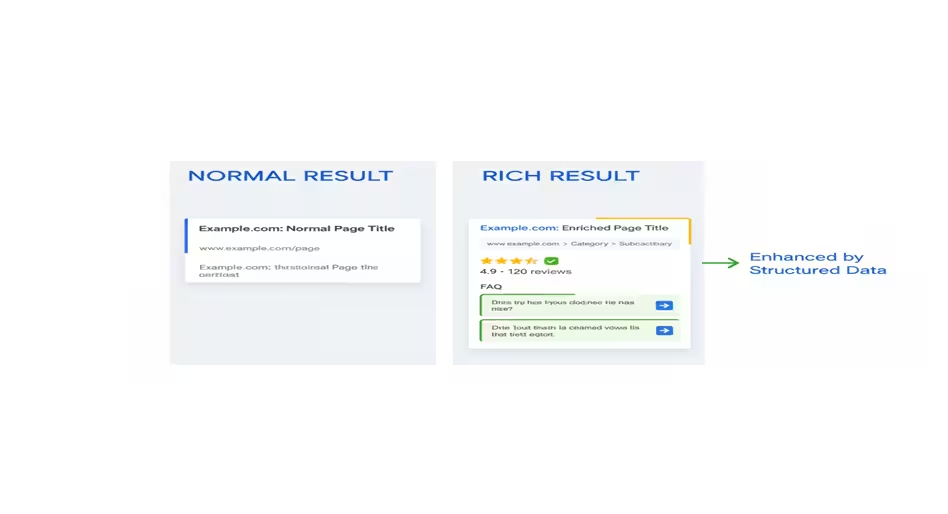
Structured data and schema markup are the technical SEO tools that let Google understand your content beyond plain text. Think of it as teaching search engines your site’s “language,” so they know exactly what each page signifies.
Why beginners should care
On alltechsub, I didn’t touch structured data at first. My pages were crawled and indexed, but they never earned rich snippets in search results. Later, implementing schema for articles, FAQs, and breadcrumbs made content stand out, improving visibility and click-through rates.
How structured data works
Structured data uses JSON-LD or other formats to label content types like:
- Articles or blog posts
- Products and reviews
- Events
- FAQs
Adding schema doesn’t change how your site looks to users. It enhances search results with rich snippets. This increases organic CTR.
Beginner-friendly implementation
- Use plugins like Yoast SEO or Rank Math to generate schema automatically.
- Google’s Structured Data Markup Helper allows manual tagging without coding expertise.
- Validate your schema using Google Rich Results Test or Schema Markup Validator to avoid errors.
Best practices for technical SEO beginners
- Ensure schema matches visible content—don’t mark up content that isn’t on the page.
- Focus on key content types relevant to your audience (articles, FAQs, products).
- Keep schema up to date as pages change or new content is published.
Key takeaways:
Structured data and schema markup are a beginner-friendly way to make your content machine-readable and search-friendly. On alltechsub, applying schema unlocked rich results, improved CTR, and gave my content more authority in Google’s eyes. Even without coding skills, beginners can implement schema with the right tools and see tangible SEO benefits.
Ongoing Monitoring & Maintenance – Keeping Technical SEO Healthy
Technical SEO isn’t a one-time checklist. Even after crawlability, indexability, site structure, mobile optimization, security, and schema are set up, your website needs constant attention. Without monitoring, small issues quietly erode your rankings over time.
Why beginners often fail here
On alltechsub, I initially submitted a sitemap, set robots.txt, and thought my technical SEO was done. Months later, I noticed indexing drops, mobile usability issues, and Core Web Vital warnings. Regular monitoring could have caught these early.
Key areas to track
- Crawl errors and indexing issues
- Use Google Search Console and Bing Webmaster Tools to spot errors, blocked pages, and pages excluded from the index.
- Check for 404s, redirect loops, and orphan pages monthly.
- Site speed and Core Web Vitals
- Run tools like PageSpeed Insights or GTmetrix regularly.
- Fix large images, unused scripts, and layout shifts.
- Mobile usability
- Test clickable elements, viewport settings, and font sizes.
- Google Search Console’s Mobile Usability report is your first alert system.
- Security and accessibility
- Ensure HTTPS certificates are valid.
- Check for mixed content, broken links, and accessibility issues (alt text, semantic HTML).
- Content and internal linking updates
- When adding or removing pages, update your sitemap and internal links.
- Ensure new content follows the same technical SEO standards.
Best practice for beginners
- Create a monthly technical SEO checklist.
- Prioritize high-impact fixes first: crawl errors, mobile issues, and site speed.
- Track improvements over time to see which changes affect rankings and traffic.
Key takeaways:
Technical SEO is a continuous process. Monitoring crawlability, indexability, site performance, security, and internal links ensures your site stays healthy and visible. On alltechsub, adding a monthly review routine transformed my site from overlooked to steadily climbing in search results.
Free Tools for Technical SEO
You don’t need expensive software or advanced coding skills to start technical SEO. Beginners can achieve significant results using free, reliable tools—just like I did on alltechsub.
Essential free tools for beginners
- Google Search Console (GSC)
- Tracks crawl errors, indexing issues, mobile usability, and Core Web Vitals.
- Lets you submit sitemaps, request indexing, and monitor search performance.
- Google PageSpeed Insights
- Analyzes page speed on desktop and mobile.
- Provides actionable recommendations to improve load times and user experience.
- Screaming Frog SEO Spider (Free Version)
- Crawls up to 500 URLs for broken links, redirects, orphan pages, and duplicate metadata.
- Helps understand how search engines see your site structure.
- Ahrefs Webmaster Tools
- Free technical SEO insights including backlink audit, performance checks, and indexing errors.
- GTmetrix
- Tests site speed and performance bottlenecks.
- Provides visual reports that beginners can easily follow.
- Schema Markup Validator & Rich Results Test
- Validates structured data and ensures it is eligible for rich snippets.
How to use these tools effectively
- Start small: pick one area at a time (crawl errors, speed, schema).
- Track changes: note improvements after each fix to understand impact.
- Combine insights: use multiple tools to cross-verify data, especially for mobile and Core Web Vitals.
Key takeaways:
Free tools are a beginner’s gateway to mastering technical SEO. They allow you to audit, monitor, and fix issues without a big budget. On alltechsub, leveraging GSC, PageSpeed Insights, and Screaming Frog gave me actionable insights that dramatically improved crawlability, indexing, and site performance. Even beginners can achieve professional-level technical SEO results with consistent use of these resources.
Final Thoughts – Technical SEO Isn’t Scary
If you’ve made it this far, congratulations—you now have a beginner-friendly roadmap to technical SEO. What once seemed overwhelming is really a set of logical, manageable steps that anyone can follow.
Key takeaways for beginners
- Crawlability and indexability ensure Google can discover and store your pages.
- Site structure, mobile optimization, and Core Web Vitals improve user experience and rankings.
- Security, accessibility, and structured data build trust and authority.
- Ongoing monitoring keeps your site healthy and prevents small issues from hurting your performance.
Why your first site matters
On alltechsub, I skipped mobile optimization, Core Web Vitals, and structured data at first. I submitted sitemaps and robots.txt and thought I was done. Over time, I realized that neglecting these areas slowed my site’s growth and visibility. Fixing them step by step was the turning point in seeing actual SEO results. Your experience may start messy too—that’s normal.
Your beginner-friendly action plan
- Audit crawlability and fix indexing issues.
- Optimize site structure and URLs.
- Improve mobile usability and Core Web Vitals.
- Secure your site and ensure accessibility.
- Add structured data where it matters.
- Monitor regularly using free tools.
Key takeaways:
Technical SEO isn’t about memorizing code or tools—it’s about strategy, consistency, and learning from real experience. By following these steps, even beginners can make their websites crawlable, indexable, fast, secure, and user-friendly. On alltechsub, embracing technical SEO transformed my site from overlooked to steadily gaining traffic and authority. Start small, stay consistent, and your site will benefit over time.
FAQs – Technical SEO for Beginners

Tenzin Tashi is an SEO and WordPress FSE web design specialist at Tenz Digital. He focuses on on-page and technical SEO, keyword research, and building SEO-friendly websites using modern analytics tools.