Create a Blog Website Beginner-Friendly WordPress Guide
Creating a blog website might seem intimidating at first, especially if you’ve never worked with a website before. But with the right approach, anyone can set up a blog quickly and start sharing content with the world. In this guide, we’ll show you how to create a blog website using WordPress. It is the platform trusted by millions of bloggers for its flexibility. WordPress is also esteemed for its ease of use and growth potential.
Whether you’re starting a personal blog, niche site, or portfolio, following a clear step-by-step process is essential. It will save you time and prevent common mistakes. This approach sets a strong foundation for long-term success. After setting up your blog, the next critical step is designing it effectively for readers and SEO. We cover this in detail in our website design for blogging guide.
By the end of this guide, you’ll have a fully functional WordPress blog. It will be ready to publish content. You will also have the ability to grow your audience.
Why WordPress Is the Best Choice for Blogging
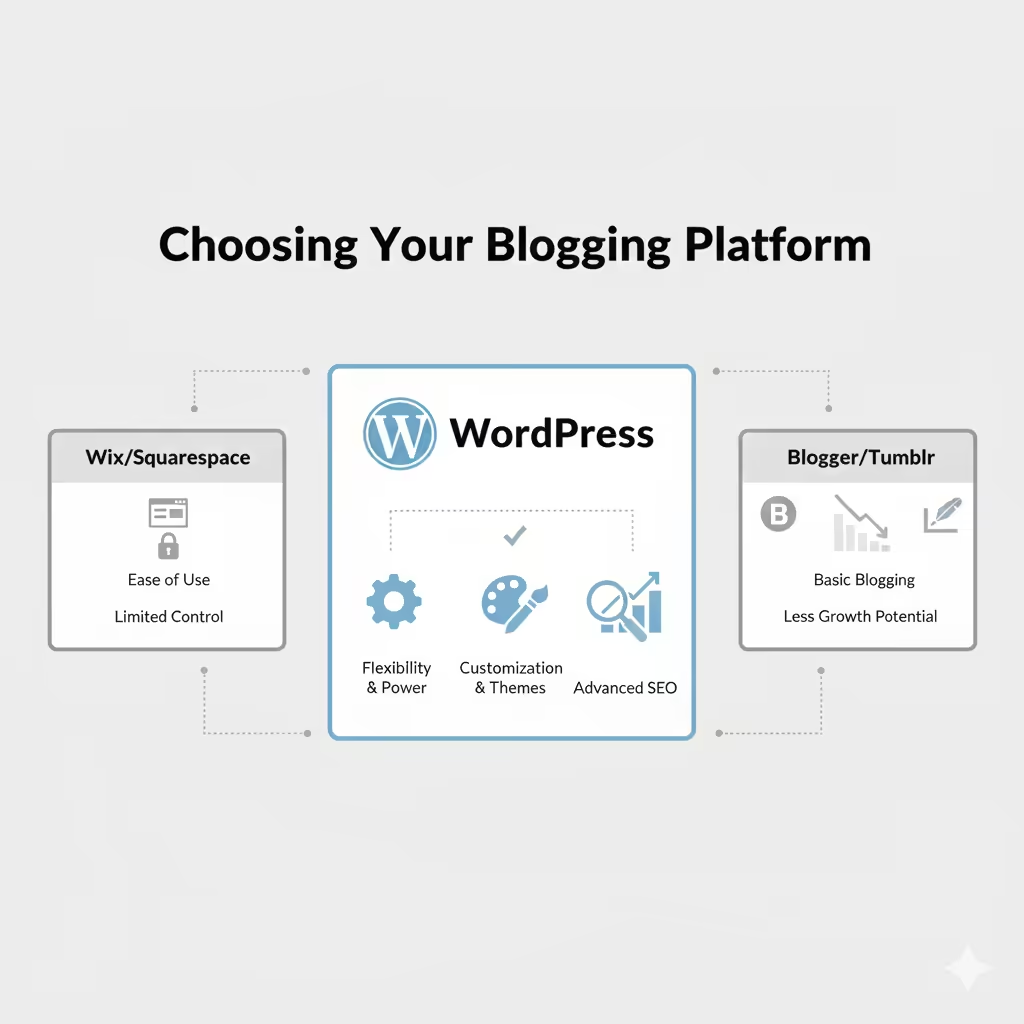
When it comes to starting a blog, WordPress stands out as the most popular and beginner-friendly platform. Unlike other blogging platforms, WordPress gives you full control over your blog’s structure. It also lets you manage content and functionality without requiring advanced technical skills.
A WordPress blog is flexible enough to grow with your needs. Whether you plan to write short posts, publish long-form articles, or add multimedia content, WordPress supports it all. Its wide range of themes and plugins makes it easy to customize your blog. You can optimize for SEO and improve user experience without heavy coding.
There are other options, like free blog sites or website builders. However, WordPress remains the top choice for most bloggers. It balances simplicity, scalability, and SEO readiness. By starting with WordPress, you’re laying a solid foundation that can evolve into a professional, growth-oriented blog.
What You Need Before Creating a Blog Website.
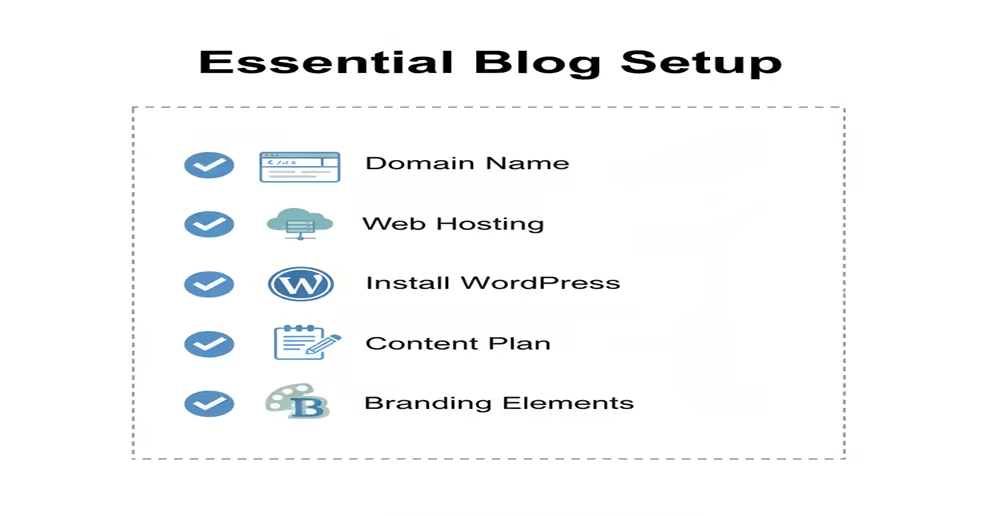
Before you start building your blog, it’s important to gather a few essentials. Preparing these in advance makes the process smoother and ensures your WordPress blog has a strong foundation.
1. Domain Name and Hosting
A domain name is your blog’s address on the web (e.g., www.yourblog.com). Hosting is where your blog’s files live. For beginners, a reliable and fast hosting provider is crucial. Most bloggers prefer managed WordPress hosting because it simplifies updates, security, and speed optimization.
2. Blog Niche and Goals
Decide on your blog’s focus before creating a blog website. Are you writing about travel, food, or tech tutorials? Knowing your niche helps with category setup, content planning, and design choices later.
3. Content Plan
Even a simple content plan is useful. Think of your first 5–10 posts and categorize them logically. A clear plan helps you organize menus, categories, and navigation, which are critical for both readers and SEO.
4. Basic Branding Elements
Choose your blog name, colors, and typography before designing. Consistency in branding makes your blog look professional and helps with recognition. You don’t need to finalize everything, but having a starting point saves time during setup.
5. WordPress Account and Theme
Sign up for WordPress and pick a lightweight, beginner-friendly theme. This theme will form the base of your blog’s design. Later, you can customize layouts, typography, and colors without breaking the structure.
With these elements ready, you’re set to move on to the actual blog setup process. Preparing ahead reduces mistakes, improves efficiency, and ensures your blog website is scalable from day one.
Step-by-Step Guide to Create a Blog Website on WordPress
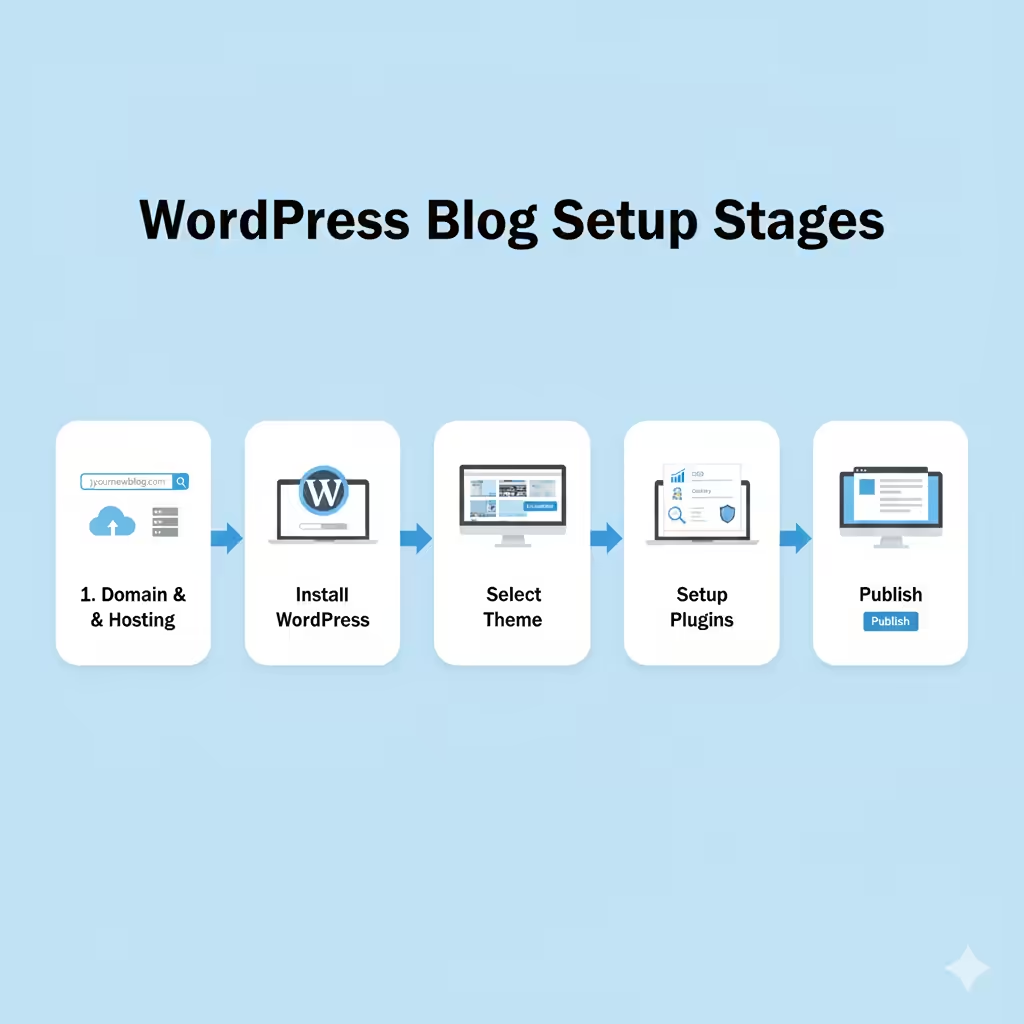
Creating a blog website on WordPress doesn’t have to be intimidating. Follow these step-by-step instructions to set up a blog that’s fast, scalable, and SEO-friendly.
Step 1: Register Your Domain and Hosting
Choose a domain name that reflects your blog’s niche and is easy to remember. Pair it with a reliable WordPress hosting provider. Many beginners start with managed WordPress hosting because it handles updates, security, and performance optimization automatically.
Step 2: Install WordPress
Most hosting providers offer a one-click WordPress installation. Once installed, you’ll have access to the WordPress dashboard, where you can manage posts, pages, themes, and plugins.
If you’ve never installed WordPress before, follow our step-by-step guide on how to install WordPress for beginners. You will also find it helpful if you want a walk through with screenshots.
Step 3: Choose and Customize Your Theme
Select a lightweight, responsive theme designed for blogs. Customize it by setting your colors, fonts, and layouts. Ensure your design is mobile-friendly, readable, and aligns with your brand identity.
If you want to go deeper into layout structure, typography, and reader-focused design, our blog-focused website design guide explains how to design a blog that performs well for users and search engines
Step 4: Install Essential Plugins
Plugins extend the functionality of your WordPress blog. For beginners, focus on:
- SEO plugins (Yoast SEO or Rank Math)
- Caching plugins for speed
- Security plugins to protect your blog
- Analytics plugins to track traffic
Step 5: Set Up Categories and Navigation
Organize your content into clear categories and subcategories. Create menus and breadcrumbs to make navigation intuitive. This structure helps both readers and search engines understand your blog.
Step 6: Create Your First Posts and Pages
Start with essential pages like About, Contact, and Privacy Policy. Then, publish your first blog posts. Focus on quality content, proper headings, internal links, and images optimized for SEO.
Step 7: Optimize for SEO and Speed
Before launching, check your site’s speed, mobile responsiveness, and SEO basics. Compress images, set up caching, and ensure your meta titles and descriptions are in place. A technically optimized blog is ready to attract traffic from day one.
By following these steps, beginners can create a blog website that’s visually appealing. It will also be structured for growth. Additionally, the site will facilitate engagement and improve search engine visibility.
Tips for Beginner Bloggers to Keep Their Blog Optimized
Once your WordPress blog is live, optimization becomes an ongoing task. Small improvements can make a big difference in user engagement, SEO, and traffic growth. Here are some key tips for beginners:
1. Keep Your Design Simple and Clean
Avoid overloading your blog with too many widgets, colors, or animations. A clean layout improves readability, reduces bounce rate, and ensures your content remains the main focus.
2. Use SEO Best Practices
Even beginners should follow basic SEO practices. Add meta titles and descriptions for each post. Use descriptive URLs. Optimize images with alt text. Ensure proper heading hierarchy. Plugins like Yoast SEO or Rank Math can guide you through the process.
3. Maintain Mobile Responsiveness
Check that your blog looks good on all devices. Mobile users form the majority of traffic, and a responsive layout directly affects engagement and rankings. Test your blog on phones and tablets regularly.
4. Internal Linking
As you publish new content, link to related posts. This helps search engines understand your blog’s structure and keeps readers engaged by guiding them to other valuable content.
5. Focus on Page Speed
Optimize images, use caching plugins, and minimize unnecessary scripts. A faster blog improves user experience and SEO performance, making it easier for readers to navigate your content.
6. Regularly Update Content
Refresh older posts, fix broken links, and keep content relevant. This signals to search engines that your blog is active and trustworthy, which can improve rankings over time.
7. Backup and Security
Set up regular backups and security measures. This ensures your blog stays safe from hacks or accidental data loss, protecting both your content and readers’ trust.
By following these tips, beginner bloggers can create a blog website that looks professional. It will also perform well in search engines and keep readers engaged. These practices set a strong foundation for long-term growth.
Next Steps: Expanding Your Blog and Linking to Resources
After setting up your WordPress blog and optimizing it for performance, it’s time to think about growth. Expanding your blog strategically ensures long-term traffic and engagement.
1. Plan Your Content Calendar
Organize topics and publishing schedules to keep your blog active. A consistent posting schedule helps retain readers and signals search engines that your site is active.
2. Explore Advanced Features Gradually
Once comfortable with the basics, start by adding features like email subscriptions. Then, introduce social sharing buttons and related post sections. These enhance user engagement and content discovery without cluttering your blog.
3. Learn Internal Linking Best Practices
Connect new posts to older content to strengthen SEO and improve user navigation. Internal links help search engines understand the structure of your blog and boost rankings for related topics.
4. Leverage Analytics for Growth
Use tools like Google Analytics to monitor traffic, popular content, and user behavior. This data guides content planning and helps identify areas for improvement.
5. Link to Supporting Resources
Direct beginners to your pillar article. The article, “Create a Blog Website”, offers advanced design and SEO strategies. Linking to internal resources improves SEO and keeps readers engaged longer.
By following these steps, bloggers can create a blog website that grows steadily, attracts readers, and supports long-term SEO performance. This approach ensures your blog remains scalable, user-friendly, and content-focused.
FAQs About Creating a Blog Website
Conclusion: Start Your WordPress Blog Today
Creating a WordPress blog is easier than many beginners think. By following the steps outlined in this guide, you can create a blog website that is fast and scalable. It will be optimized for both readers and search engines.
Focus on simple design, clear navigation, and SEO best practices from the start. As you publish more content, your blog will attract traffic. Applying optimization tips will engage readers. Your blog will grow steadily over time.
Remember, while WordPress is the recommended platform here, other options exist. The key is to choose a platform that allows flexibility, scalability, and ease of content management.
For a deeper dive into layouts, readability, and SEO-friendly structure, read our complete website design for blogging pillar guide. Linking to this resource ensures your blog remains structured, user-friendly, and ready for long-term growth.

Tenzin Tashi is an SEO and WordPress FSE web design specialist at Tenz Digital. He focuses on on-page and technical SEO, keyword research, and building SEO-friendly websites using modern analytics tools.